How it works
How our system detects and blocks DDoS attacks on your infrastructure. We explain it in detail with technical information and through a simple analogy.
Our product consists of two systems: one is responsible for traffic analysis, and the other for DDoS attack mitigation.
Under normal conditions, most traffic reaches your resources directly. At the same time, the analysis system continuously assesses its volume to detect the start of a DDoS attack. It does not need to process every packet. It uses sampling:
-
It receives a copy of every 250th packet in the flow.
-
It multiplies the number of received packets by 250 to calculate the total traffic volume.
This approach speeds up traffic analysis without compromising accuracy.
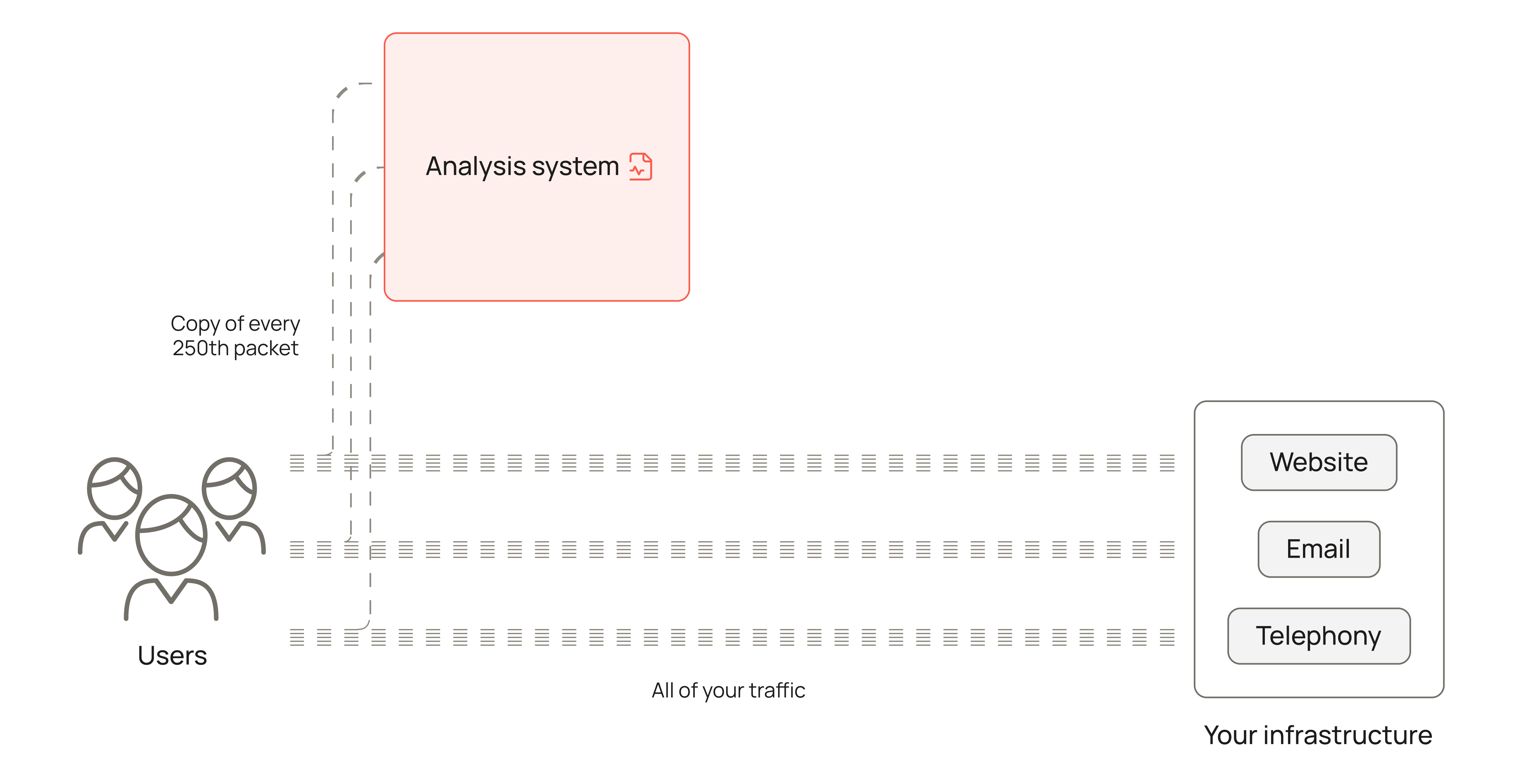
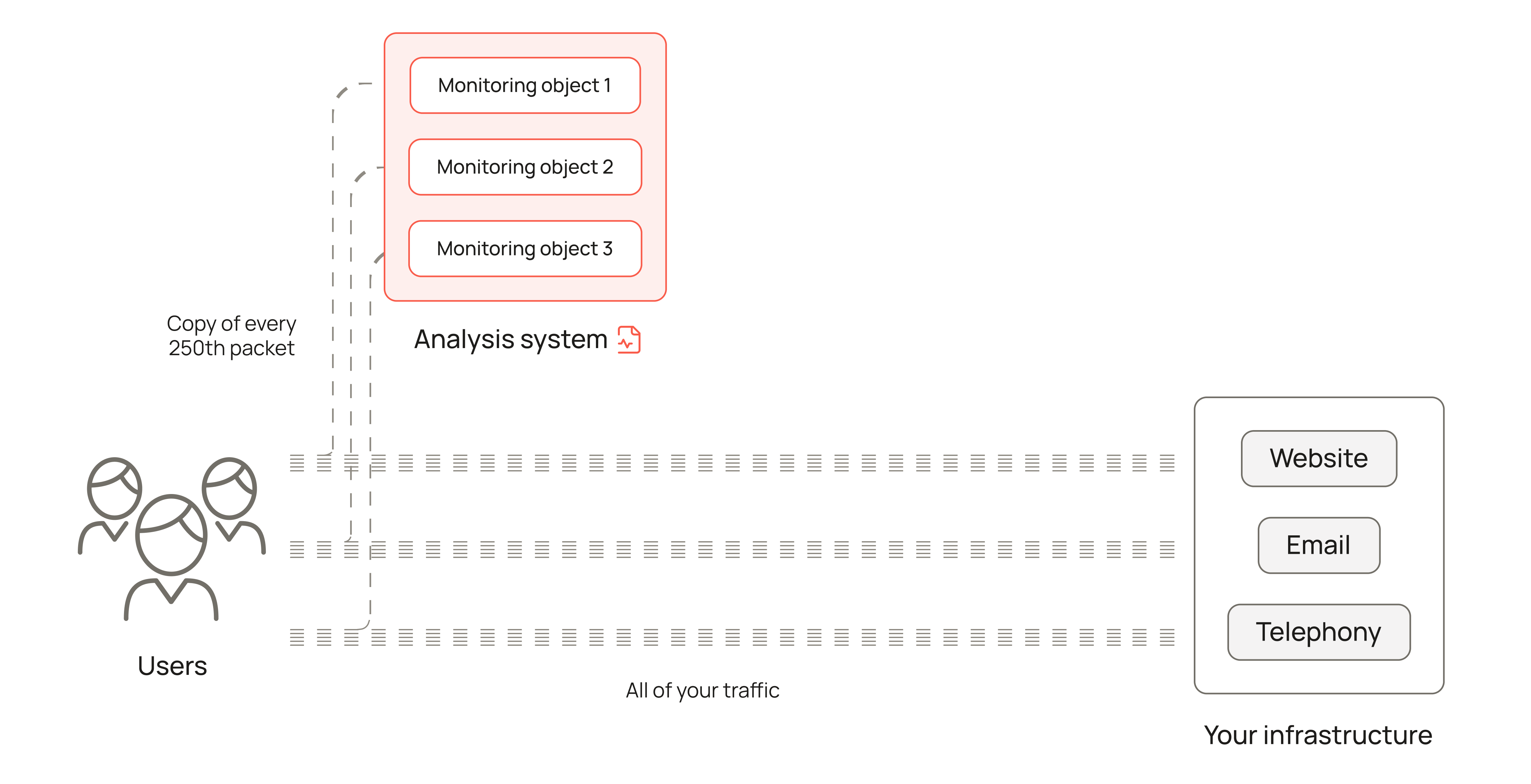
The traffic volume is now known. The next step is to determine whether it is normal or indicates a DDoS attack. For this, the analysis system uses monitoring objects.
A monitoring object is a logical object that contains traffic threshold values for specific subnets/IP addresses. Exceeding these values indicates a DDoS attack. We create these objects when connecting protection, based on the traffic characteristics of your resources.
|
For more information about how monitoring objects are created, see Monitoring object. |
We often divide a customer’s traffic into several monitoring objects. For example, traffic to telephony, email, and a website can be placed in separate objects so that each can be monitored individually. This helps prevent an attack targeting a specific service from being missed.
The system continuously checks the monitoring objects to determine whether the traffic volume is normal or an attack has started.
As soon as the analysis system detects an attack on one of the monitoring objects, it sends a signal. The traffic route changes: packets addressed to the subnets/IP addresses in this object also pass through the mitigation system.
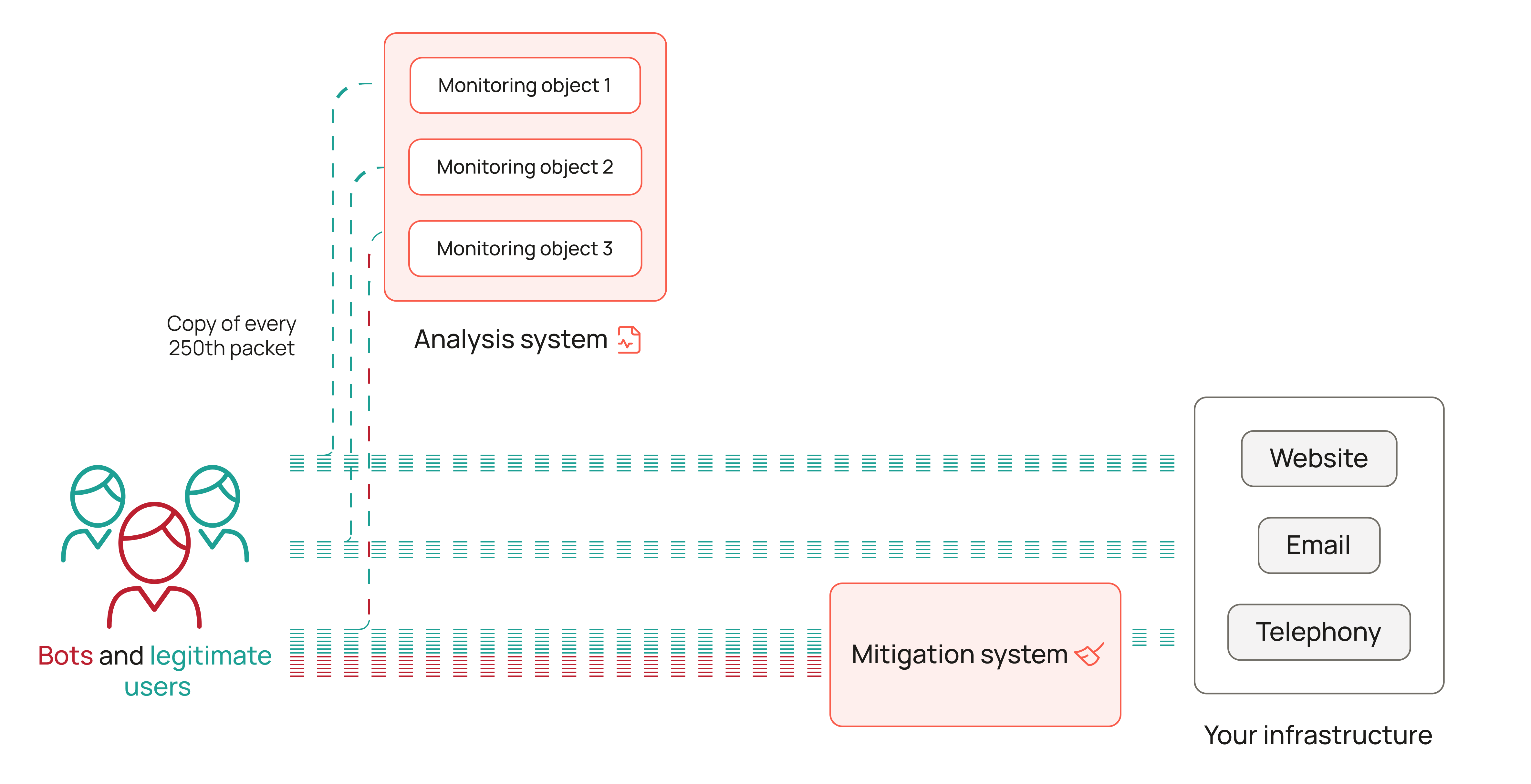
To filter traffic, the mitigation system needs rules to decide which packets to allow and which to drop. These rules are defined in a protected profile.
A protected profile is a logical object that contains traffic filtering rules for specific subnets/IP addresses.
|
For more information about profile rules and structure, see Protected profile. |
We configure the profile ourselves, based on your answers to a questionnaire that we send when connecting protection and on many years of experience mitigating real-world attacks.
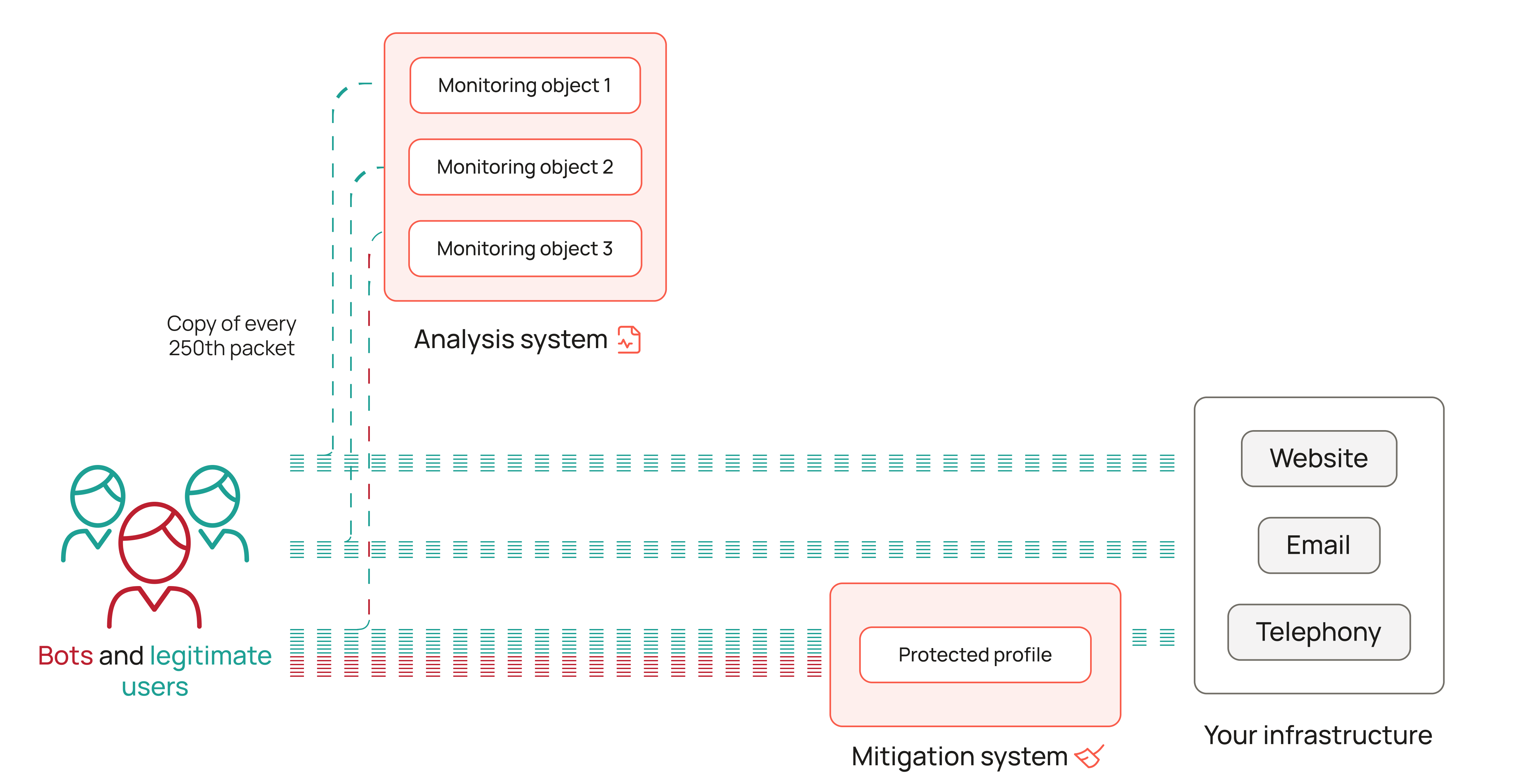
During a DDoS attack, traffic is filtered: packets from attackers are dropped, while packets from regular users reach your resources.
When the attack ends, the analysis system sees that traffic for the monitoring object where the threshold was exceeded has returned to normal levels. It sends a signal to stop filtering. Traffic again reaches your services directly.

Imagine a commuter train with a limited number of seats. These seats are the inbound traffic channel to your resource.
Usually, passengers with tickets travel on the train—they are traffic from legitimate users. Sometimes, fare evaders get on as well—they are bot traffic. While there are only a few fare evaders, it is not a problem: there is enough room for everyone.

But if there are too many fare evaders, the train becomes overcrowded. New passengers, even those with tickets, can no longer travel. This is similar to a DDoS attack.
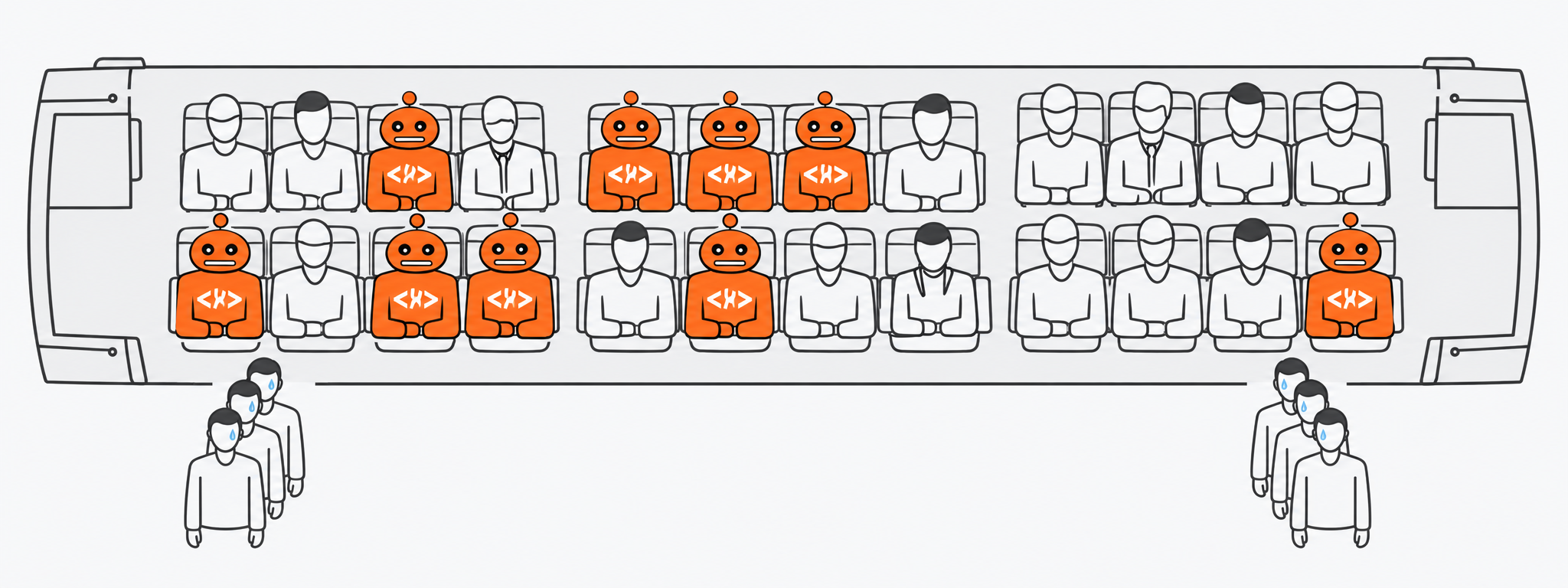
To prevent this, someone must monitor passenger flow and remove fare evaders in time. This is done by ticket inspectors—in this analogy, they represent our product.
To make the train easier to monitor, the ticket inspectors split it into several carriages—monitoring objects.
What is a monitoring object?
In the context of our product, a monitoring object is a logical object that contains traffic threshold values for specific subnets/IP addresses. Exceeding these values indicates a DDoS attack.
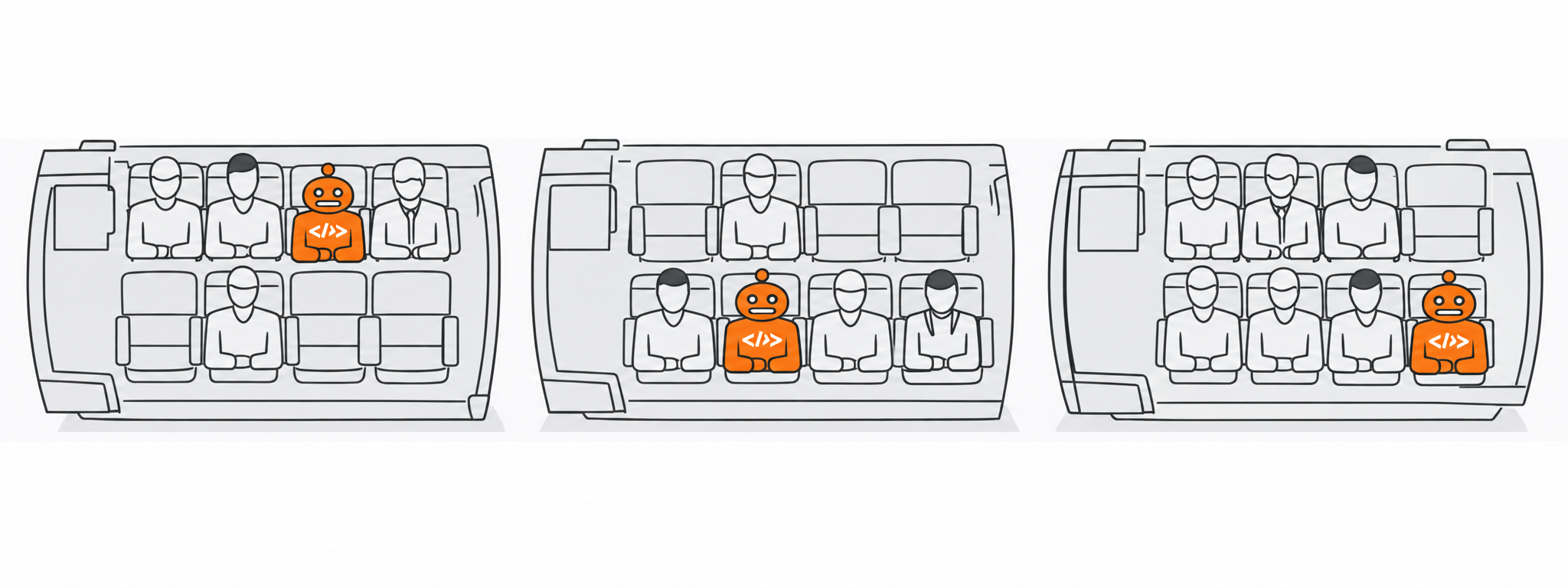
A dedicated employee (the analysis system) monitors every carriage using cameras to check whether there are enough available seats.
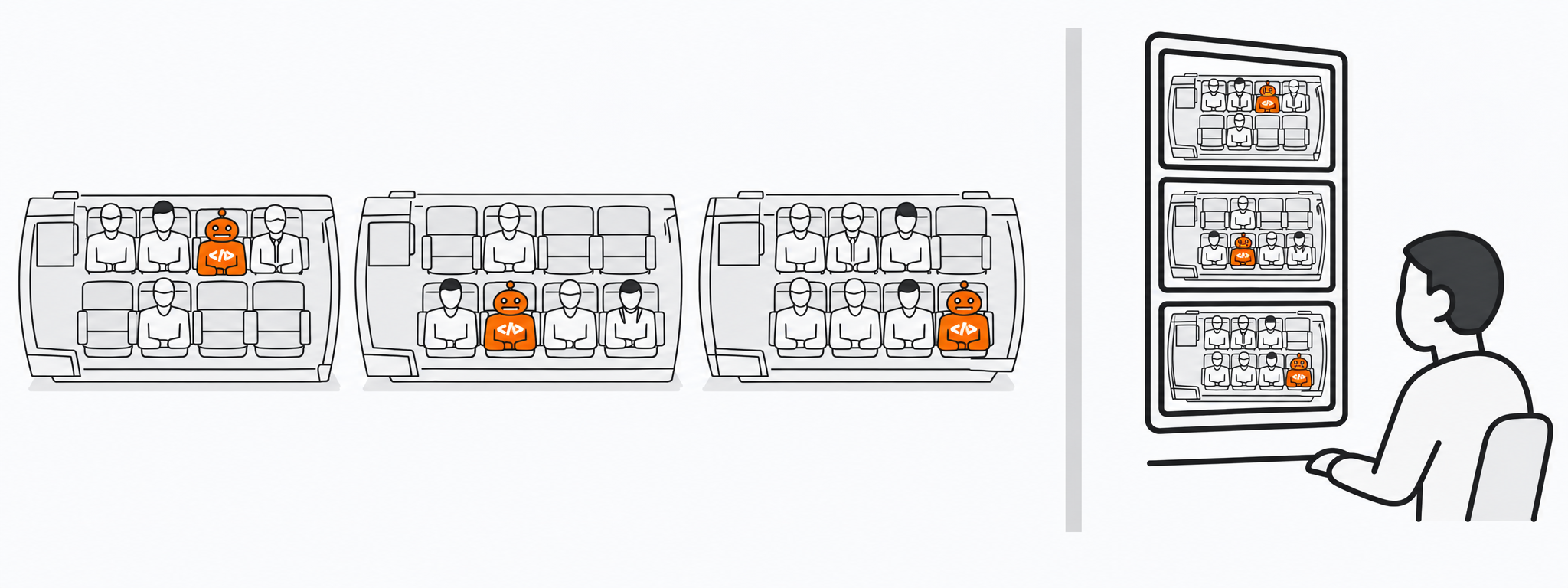
If a carriage becomes overcrowded, the employee sends a signal: there is an influx of fare evaders.
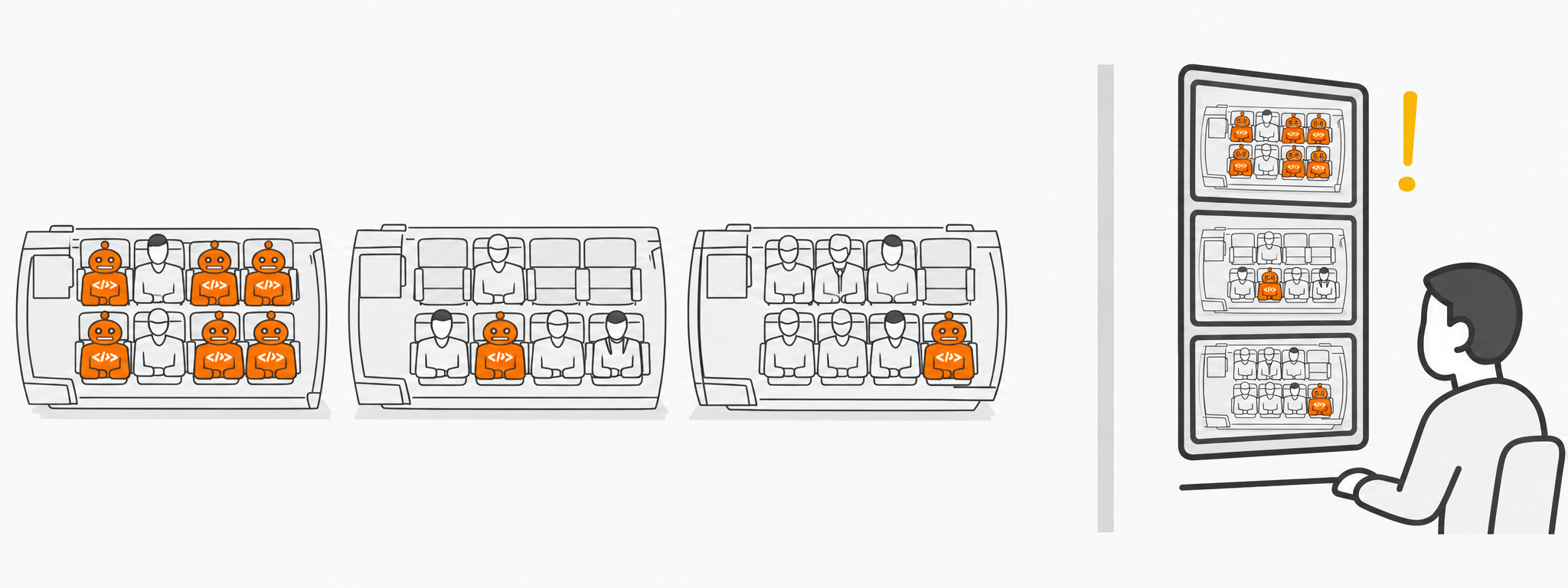
Ticket inspectors (the mitigation system) enter the carriage and begin checking passengers. During the check, they follow instructions that help distinguish a regular passenger from a fare evader. These instructions are a protected profile. Even if a fare evader tries to fool the inspector, the instructions will still help identify that something is wrong.
What is a protected profile?
In the context of our product, a protected profile is a logical object that contains traffic filtering rules for specific subnets/IP addresses.
After the check, fare evaders are removed from the carriage. Only passengers with tickets remain inside.
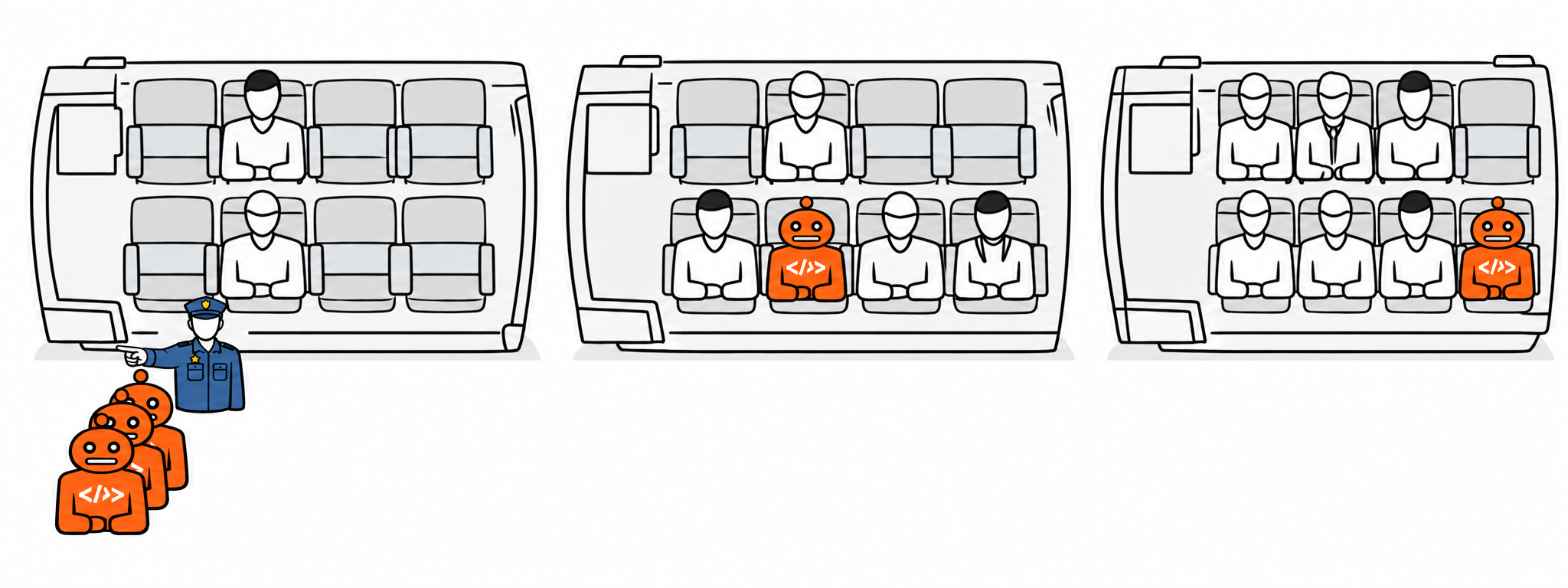
The ticket inspectors accompany the train until the influx of fare evaders ends. When the situation returns to normal, they leave and the train continues as usual.